iOS · Free · Privacy-first
ProEnglish
Learn English from articles you actually care about. Inline vocabulary, spaced-repetition flashcards, all on-device.

Why ProEnglish
Articles you care about
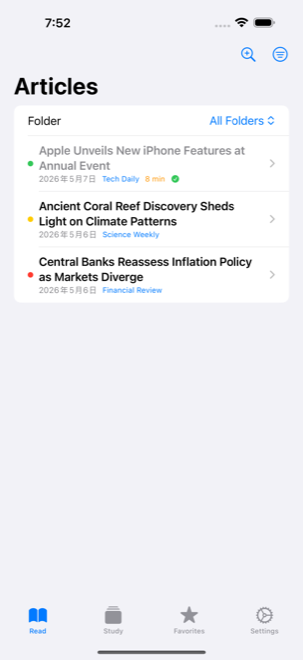
Subscribe to your own RSS feeds via OPML — news, tech, science, culture. Read what genuinely interests you, not synthetic textbook passages.
Vocabulary in context
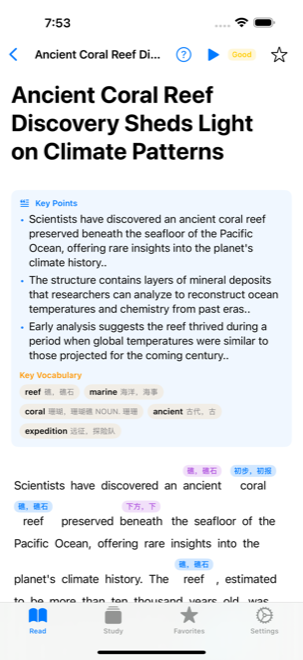
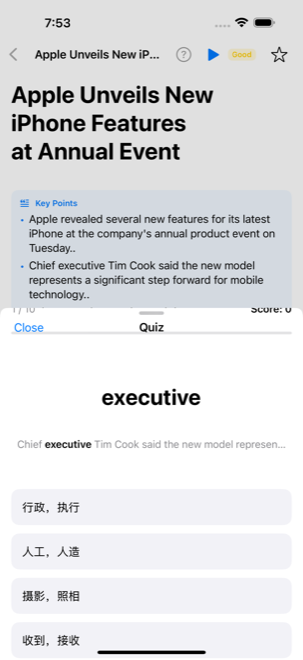
Kindle-style inline annotations show Chinese definitions above unfamiliar words. No popups, no interruptions, no breaking your flow.
Saved words remember the source
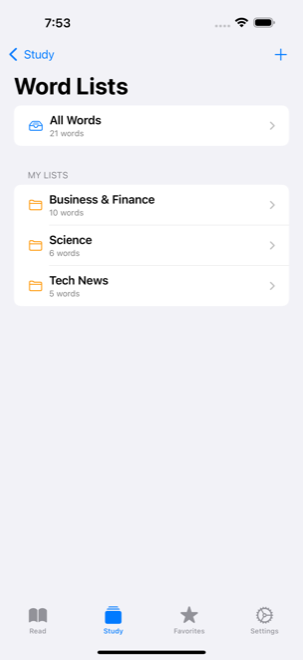
Every saved word is linked to the article and sentence where you found it. Reviews show real examples from your reading.
SM-2 flashcards built in
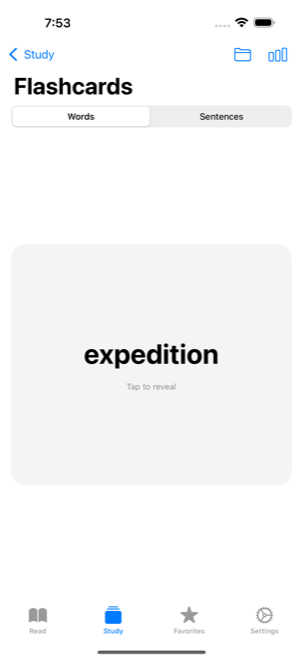
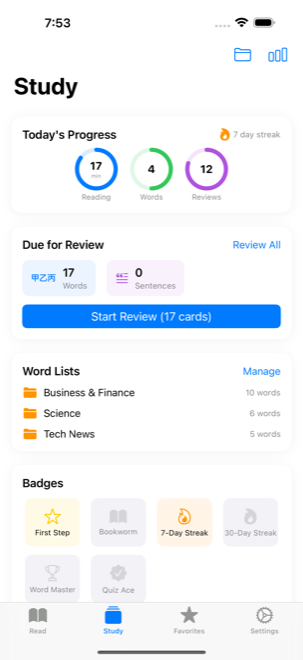
Words and sentences both go through proven spaced repetition. Review only what's due, never overlearn.
Difficulty matched to you
Each article is rated Easy / Recommended / Hard based on your known vocabulary. Find readings that stretch you, not crush you.
Truly private
Everything stays on your device. No accounts, no tracking, no ads, no servers. Translation uses Apple's on-device framework.
How it works
- Subscribe. Import an OPML file with your RSS feeds — news sources, blogs, anything in English.
- Read. Open an article. Words above your level get inline Chinese annotations. Tap any highlighted word to save it as a flashcard. Long-press a paragraph to translate or save the sentence.
- Review. The Study tab shows due flashcards each day. Each card recalls the article and sentence where you encountered the word.
Screenshots
FAQ
- Is ProEnglish free?
- Yes. The app is free to download and free to use. No subscription, no ads, no in-app purchases.
- Does it work offline?
- Once articles are downloaded from your RSS feeds, you can read, save words, and review flashcards entirely offline. Translation uses Apple's on-device Translation framework, so it also works offline on iOS 18 and later.
- Who is it for?
- Chinese learners of English at the intermediate level (roughly B1–B2) who want to improve through real, interesting reading rather than textbook drills. The UI labels are in English; vocabulary definitions and example translations are in Chinese.
- What makes it different from Anki or Duolingo?
- Words you save stay tied to the article and sentence where you found them. When a flashcard comes up for review, you see exactly which articles the word appeared in and the sentences around it. Vocabulary learned in real context is retained much better than isolated lists.
- How does it handle my data?
- All data — articles, vocabulary, flashcards, reading history — stays on your device using SwiftData. Nothing is sent to a server (we run none). RSS articles are downloaded directly from the publishers you subscribe to. See the privacy policy for full details.
- What iOS version is required?
- iOS 17 or later. iOS 18 is recommended for paragraph translation and the latest reading features.
Ready to read?
iOS 17+. Free. Three taps to your first article.
See Privacy Policy. App Store and the Apple logo are trademarks of Apple Inc.